



-
1
 2:02
0 GeoShred Tutorial Overview (Latest)
2:02
0 GeoShred Tutorial Overview (Latest) -
2
 3:16
1 Geo Shred Tutorial Performance Area (Latest)
3:16
1 Geo Shred Tutorial Performance Area (Latest) -
3
 2:35
2 GeoShred Tutorial Preset Editor (Latest)
2:35
2 GeoShred Tutorial Preset Editor (Latest) -
4
 7:08
3 GeoShred Tutorial Physical Model (Latest)
7:08
3 GeoShred Tutorial Physical Model (Latest) -
5
 6:58
4 GeoShred Tutorial Performance Controls (Latest)
6:58
4 GeoShred Tutorial Performance Controls (Latest) -
6
 5:54
5 GeoShred Tutorial Control Surface Editor (Latest)
5:54
5 GeoShred Tutorial Control Surface Editor (Latest) -
7
 2:14
6 GeoShred Tutorial Setlists (Latest)
2:14
6 GeoShred Tutorial Setlists (Latest) -
8
 1:48
7 GeoShred Tutorial Help and Settings (Latest)
1:48
7 GeoShred Tutorial Help and Settings (Latest) -
9
 1:22
GeoShred Application Note #1: Intermodulation Distortion and Hexaphonic Strings.
1:22
GeoShred Application Note #1: Intermodulation Distortion and Hexaphonic Strings. -
10
 3:25
GeoShred Application Note #2: Using GeoShred with Audiobus and InterApp Audio (IAA)
3:25
GeoShred Application Note #2: Using GeoShred with Audiobus and InterApp Audio (IAA) -
11
 0:26
GeoShred Application Note #3: How to Install Mahesh Raghvan's Xitar 1.5 (deprecated)
0:26
GeoShred Application Note #3: How to Install Mahesh Raghvan's Xitar 1.5 (deprecated) -
12
 2:48
GeoShred Application Note #4: How to Backup and Restore GeoShred Presets (Replaced by iCloud)
2:48
GeoShred Application Note #4: How to Backup and Restore GeoShred Presets (Replaced by iCloud) -
13
 3:13
GeoShred Application Note #5: GeoShred's XY Pad Controlling Animoog's XY Pad
3:13
GeoShred Application Note #5: GeoShred's XY Pad Controlling Animoog's XY Pad -
14
 9:36
GeoShred Application Note #6: GeoShred MIDI Use Cases
9:36
GeoShred Application Note #6: GeoShred MIDI Use Cases -
15
 4:02
GeoShred Application Note #7: String to Midi Channel Mapping
4:02
GeoShred Application Note #7: String to Midi Channel Mapping -
16
 3:24
Application Note #8: Direct USB MIDI using midimux/studiomux
3:24
Application Note #8: Direct USB MIDI using midimux/studiomux -
17
 5:37
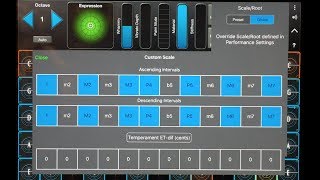
Application Note #9: Temperaments, Scales, Ragas and Note Names
5:37
Application Note #9: Temperaments, Scales, Ragas and Note Names -
18
 5:00
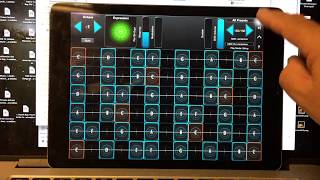
Application Note #10: GeoShred Controlling iOS Synths
5:00
Application Note #10: GeoShred Controlling iOS Synths -
19
 3:45
Application Note #11: GeoShred Controlling Animoog
3:45
Application Note #11: GeoShred Controlling Animoog -
20
 5:37
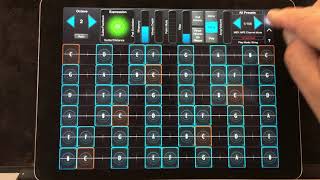
Application Note #12: GeoShred and Garage Band Virtual Instruments
5:37
Application Note #12: GeoShred and Garage Band Virtual Instruments -
21
 3:31
Application Note #13: GeoShred and the LinnStrument
3:31
Application Note #13: GeoShred and the LinnStrument -
22
 2:29
Application Note #14: GeoShred Direct USB Audio Recording, GarageBand/Logic Pro
2:29
Application Note #14: GeoShred Direct USB Audio Recording, GarageBand/Logic Pro -
23
 5:44
Application Note #15: Using GeoShred to control SWAM instruments
5:44
Application Note #15: Using GeoShred to control SWAM instruments -
24
 4:07
Application Note #16: GeoShred and the Haken Continuum
4:07
Application Note #16: GeoShred and the Haken Continuum -
25
 7:57
Application Note #17: GeoShred and the Moog Model D
7:57
Application Note #17: GeoShred and the Moog Model D -
26
 3:30
Application Note #18: GeoShred and iSymphonic Orchestra
3:30
Application Note #18: GeoShred and iSymphonic Orchestra -
27
 5:05
Application Note #19: GeoShred and the Korg iM1
5:05
Application Note #19: GeoShred and the Korg iM1 -
28
 10:29
Application Note #20: GeoShred XYZ Expression and MIDI/MPE
10:29
Application Note #20: GeoShred XYZ Expression and MIDI/MPE -
29
 11:39
Application Note #21: GeoShred 3, AUv3 and iCloud Support
11:39
Application Note #21: GeoShred 3, AUv3 and iCloud Support -
30
 1:25
Application Note #22: Using GeoShred to Control Jordantron
1:25
Application Note #22: Using GeoShred to Control Jordantron -
31
 8:58
Application Note #23: Jordan Rudess Teaches: Playing the Blues with GeoShred
8:58
Application Note #23: Jordan Rudess Teaches: Playing the Blues with GeoShred -
32
 7:10
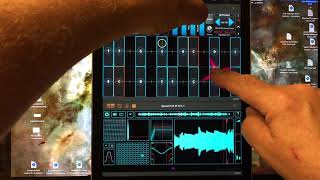
Application Note #24: Using GeoShred MPE to Control SpaceCraft
7:10
Application Note #24: Using GeoShred MPE to Control SpaceCraft -
33
 7:49
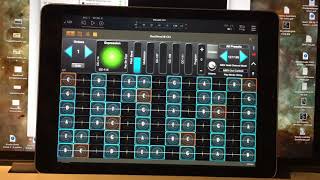
Application Note #25: Using GeoShred to Control SwarPlug
7:49
Application Note #25: Using GeoShred to Control SwarPlug -
34
 5:59
Application Note #26: Using GeoShred as a MIDI Channel 10 Percussion Controller
5:59
Application Note #26: Using GeoShred as a MIDI Channel 10 Percussion Controller -
35
 2:27
Application Note #27: Backing Tracks in GeoShred
2:27
Application Note #27: Backing Tracks in GeoShred -
36
 3:50
Application Note #28: GeoShred Doc Using Google Translate
3:50
Application Note #28: GeoShred Doc Using Google Translate -
37
 3:18
Application Note #29: GeoShred Vowel Processing Teaser
3:18
Application Note #29: GeoShred Vowel Processing Teaser -
38
 3:54
Application Note #30: GeoShred Help Resources
3:54
Application Note #30: GeoShred Help Resources -
39
 4:44
Application Note #31: MPE Style Polyphonic Expression
4:44
Application Note #31: MPE Style Polyphonic Expression -
40
 1:08
Application Note #32: Changing the Range of the Whammy
1:08
Application Note #32: Changing the Range of the Whammy -
41
 10:32
Application Note #33: Getting Started with the GeoSWAM Instruments
10:32
Application Note #33: Getting Started with the GeoSWAM Instruments -
42
 3:38
Application Note #34: Using GeoShred to Control iOS SWAM Apps
3:38
Application Note #34: Using GeoShred to Control iOS SWAM Apps -
43
 1:07
Application Note #35: Setting up BlueTooth (BLE) MIDI between an iOS device and a Mac.
1:07
Application Note #35: Setting up BlueTooth (BLE) MIDI between an iOS device and a Mac. -
44
 5:30
Application Note #36: Setting up the Orba 2 to work with GeoShred
5:30
Application Note #36: Setting up the Orba 2 to work with GeoShred -
45
 13:51
Application Note #37 - Getting Started with the Naada Instruments
13:51
Application Note #37 - Getting Started with the Naada Instruments -
46
 7:28
Application Note #38: Setting up KMI MPE Controllers to work with GeoShred
7:28
Application Note #38: Setting up KMI MPE Controllers to work with GeoShred -
47
 4:06
Application Note #39 - Configuring KeyY for Secondary Expression on MPE Controllers
4:06
Application Note #39 - Configuring KeyY for Secondary Expression on MPE Controllers -
48
 5:25
Application Note #40 - GeoSWAM for the LinnStrument (short)
5:25
Application Note #40 - GeoSWAM for the LinnStrument (short) -
49
 18:21
App Note #41 - GeoShred 6 - Strumming and Finger Picking
18:21
App Note #41 - GeoShred 6 - Strumming and Finger Picking -
50
 16:00
App Note #42 - Stompbox and Control Effects in GeoShred
16:00
App Note #42 - Stompbox and Control Effects in GeoShred -
51
 6:44
App Note #43 - Using MIDI Controllers to Control GeoShred
6:44
App Note #43 - Using MIDI Controllers to Control GeoShred -
52
 2:04
Application Note #44: Software Instruments in Logic 2 for iOS/iPadOS
2:04
Application Note #44: Software Instruments in Logic 2 for iOS/iPadOS -
53
 11:59
Application Note #45: GeoShred 6.5 New Features
11:59
Application Note #45: GeoShred 6.5 New Features -
54
 16:03
Application Note #46: Recording GeoShred Studio in Logic Using the AUv3 Plugin (OLD)
16:03
Application Note #46: Recording GeoShred Studio in Logic Using the AUv3 Plugin (OLD) -
55
 4:16
Application Note #47: GeoShred Pro Quick Start Guide
4:16
Application Note #47: GeoShred Pro Quick Start Guide -
56
 4:24
Application Note #48: GeoShred Studio Quick Start Guide
4:24
Application Note #48: GeoShred Studio Quick Start Guide -
57
 3:14
Application Note #49: GeoShred Play Quick Start Guide
3:14
Application Note #49: GeoShred Play Quick Start Guide -
58
 5:49
Application Note #50: GeoShred Control Quick Start Guide
5:49
Application Note #50: GeoShred Control Quick Start Guide -
59
 5:40
Application Note #51: Using the Jamstik with the GeoSWAM, Naada Instruments
5:40
Application Note #51: Using the Jamstik with the GeoSWAM, Naada Instruments -
60
 18:43
Application Note #52: Recording GeoShred Studio in macOS Cubase Using the VST3 Plugin Wrapper
18:43
Application Note #52: Recording GeoShred Studio in macOS Cubase Using the VST3 Plugin Wrapper -
61
 13:59
Application Note #53: Naada for Windows
13:59
Application Note #53: Naada for Windows -
62
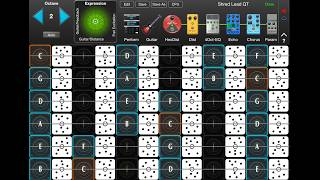 2:53
Application Note #54: Quarter Tone Keyboard
2:53
Application Note #54: Quarter Tone Keyboard -
63
 10:53
Application Note #55: Piano, Uniform, Janko Keyboards and Touch Velocity
10:53
Application Note #55: Piano, Uniform, Janko Keyboards and Touch Velocity